Jun 7, 2024
ProductHow to store your medical card in a digital wallet
Learn how to store your medical card and health insurance in a digital wallet. Discover the benefits, security features, and how to manage family members' health documents.
You're at the doctor's office and they ask for your insurance card. You reach for your wallet, flip through receipts and old loyalty cards, and realize you left it at home. Now imagine the same scenario, but this time you pull out your phone, tap twice, and show your insurance details on screen. That's the difference a digital wallet makes for health documents.
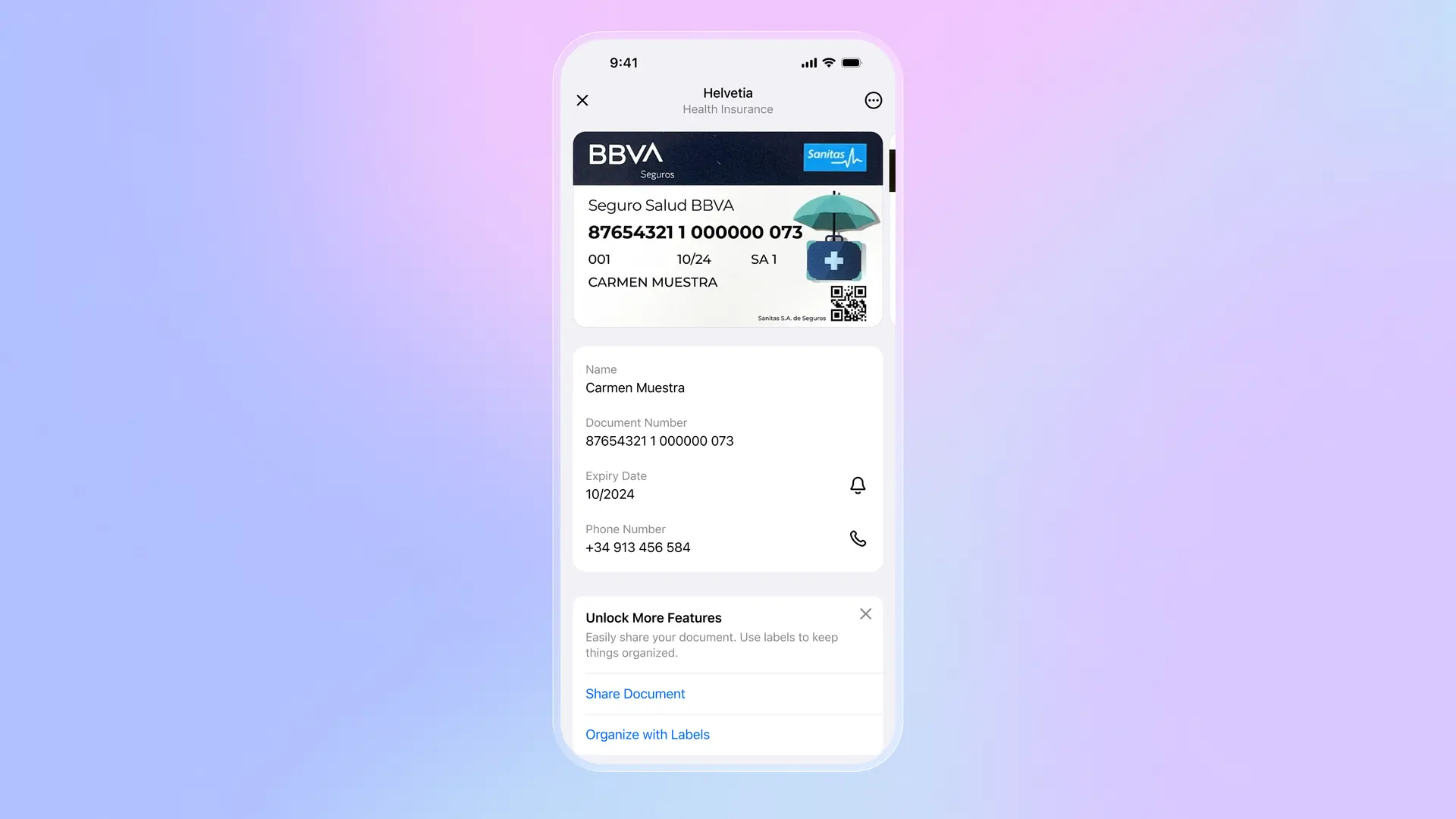
Storing your health insurance card digitally isn't just about convenience. It's about having critical information available exactly when you need it, whether that's a routine checkup, an emergency room visit, or filling out forms at a new specialist. Most people carry their phone everywhere. The same can't be said for physical insurance cards.
How to store your medical card
The simplest approach is taking a photo of your card and saving it to your camera roll. It works, but photos get buried among hundreds of other images. A better solution is using a dedicated wallet app. Folio lets you scan your insurance card directly, then automatically extracts the text so you can copy your member ID, group number, or policy details without squinting at a tiny image.
To add your card: open the app, select the health category, and either scan your physical card or import an existing photo. The card gets stored with all other health documents, separate from your payment cards, IDs, and travel documents. When you need it, you search or browse to the health section and it's right there.
Managing family health documents
If you're a parent, you're probably carrying insurance cards for your entire family. That's a lot of plastic to keep track of. A digital wallet lets you store everyone's cards in one place, organized by family member. When your kid needs to see the pediatrician, you pull up their specific card instead of shuffling through a stack.
The same applies to vaccination records, prescription lists, or medical history summaries. Having these documents digitally means you can share them instantly with a new doctor or have them ready during a hospital visit. Some parents also store their children's allergy information and emergency contacts alongside insurance details.
Security matters for health data
Health information is sensitive. Your insurance card contains your name, date of birth, and policy numbers. You don't want that floating around unsecured. A good digital wallet encrypts your documents end-to-end, meaning even if someone accessed the server, they couldn't read your data. Folio adds passkey and biometric protection, so your health documents are locked behind Face ID or fingerprint, not just a simple PIN.
This level of security actually makes digital storage safer than physical cards. Lose your wallet, and anyone who finds it can see your insurance details. Lose your phone, and your documents remain encrypted and inaccessible without your biometrics.
Beyond insurance cards
Once you've digitized your insurance card, consider adding related documents: vaccination records, prescription lists, doctor's notes, or medical test results. Having everything in one searchable location means no more digging through email attachments or paper folders before appointments. You can also store travel health insurance separately for trips abroad, ensuring you have the right coverage details wherever you are.
Download Folio Wallet
Available free on iOS and Android


Keep reading
Best identity verification platforms in 2025
Research
Dec 19, 2025
Best identity verification platforms in 2025
Research
Dec 19, 2025
The EU is giving everyone a digital ID wallet. Here's what that means.
Product
Oct 25, 2025
The EU is giving everyone a digital ID wallet. Here's what that means.
Product
Oct 25, 2025
How NFC chip scanning verifies your passport in seconds
Business
Oct 20, 2025
How NFC chip scanning verifies your passport in seconds
Business
Oct 20, 2025