Mar 5, 2024
ResearchHow to store and use loyalty cards on an iPhone
Learn how to store and use loyalty cards on your iPhone with digital wallets. Compare Apple Wallet, Stocard, and Folio Wallet to find the best solution for managing your loyalty cards.
The cashier asks if you have a rewards card. You know you do, somewhere. You signed up months ago. The physical card is probably in a drawer at home, or maybe it fell behind the couch. Meanwhile, there's a line forming behind you. This scene plays out millions of times daily, and the solution has been on your phone the whole time.
Digital wallets turn that stack of plastic loyalty cards into barcodes on your screen. Scan the original card once, and it lives in your phone forever. At checkout, pull up the barcode, let the cashier scan it, collect your points. No more lost cards, no more forgotten rewards.
Apple Wallet for loyalty cards
Apple Wallet comes pre-installed on every iPhone, making it the obvious first choice. It stores loyalty cards from participating retailers: Walgreens, Target, Dunkin', and many others. When a business supports Apple Wallet, you'll typically see an "Add to Apple Wallet" button in their app or on emailed receipts. Tap it, and the card appears in your Wallet.
The limitation is that word "participating." Apple Wallet only accepts cards in the .pkpass format that Apple specifies. Your local coffee shop's punch card? Probably not supported. That gym membership with a barcode? Unlikely. Apple Wallet works beautifully when it works, but it rejects more cards than it accepts.
Stocard for rewards programs
Stocard focuses specifically on loyalty cards and handles them well. Open the app, scan a barcode, and the card is saved. Stocard recognizes most major retailers automatically, pulling in the logo and formatting the card nicely. At checkout, open the app, find your card, show the barcode. The app also surfaces deals and offers from stores you've added.
The downside is scope. Stocard does loyalty cards and nothing else. If you want to store your insurance card alongside your CVS rewards, or keep your concert tickets near your coffee shop points, you'll need a second app. Stocard also lacks expiration tracking, so if a rewards account goes dormant, you won't know until you try to use it.
Folio for everything in one place
Folio takes a different approach: store any card or document, not just loyalty programs. Add your Starbucks card next to your passport, your gym membership next to your insurance policy. Everything lives in one app, organized by folders you create.
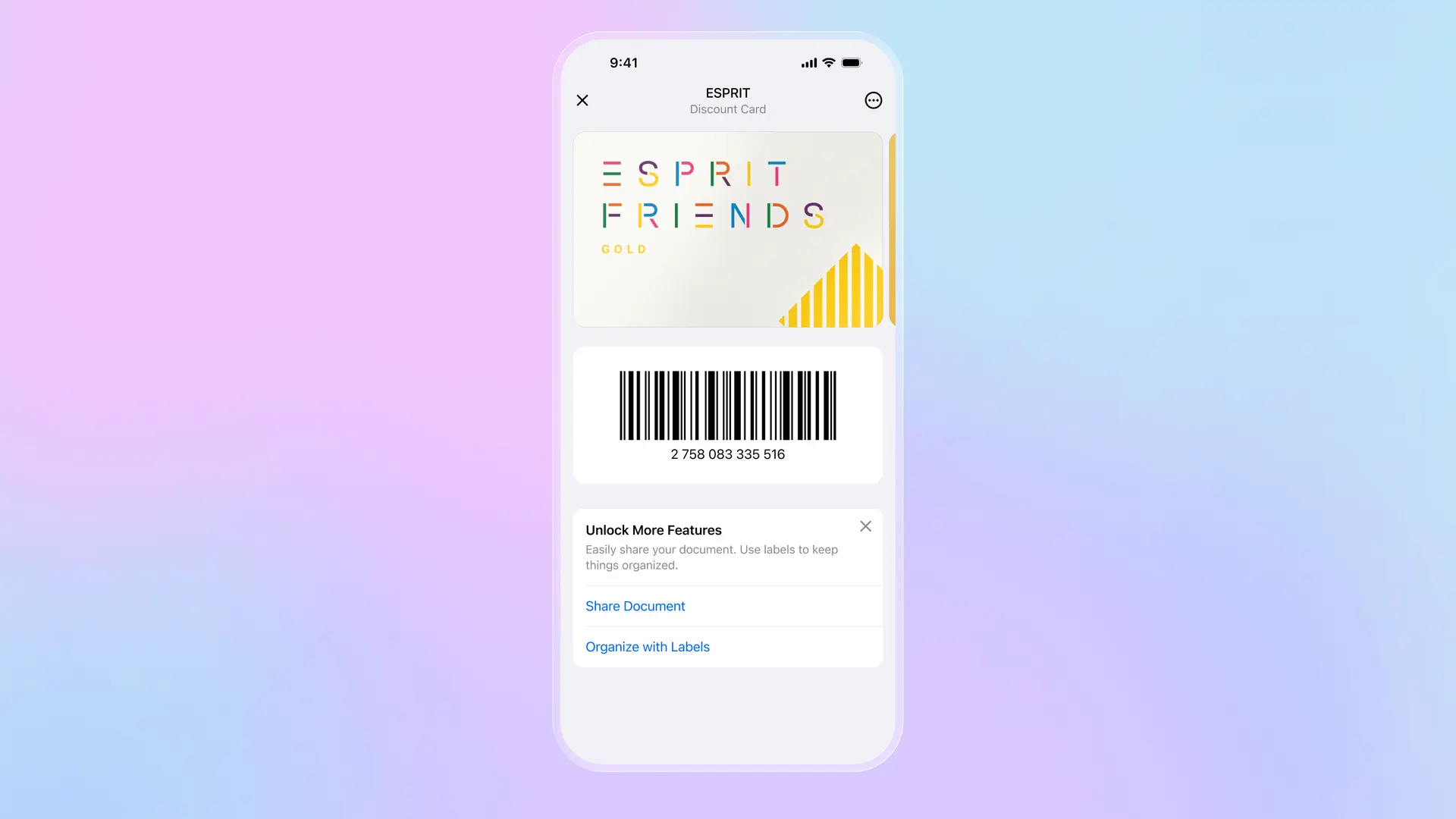
Adding a card works like Stocard: open the app, tap +, scan the barcode or take a photo. Folio extracts any text automatically, so you can copy account numbers without typing. Set expiration dates for cards that have them, and get reminders before they lapse. Everything is encrypted end-to-end and protected with passkeys, so even Folio can't see your card data.
Download Folio Wallet
Available free on iOS and Android


The trade-off is that Folio doesn't have Stocard's retailer database with automatic logos and formatting. You're adding cards manually. But you're also not limited to what a database recognizes. That local bakery's loyalty card that no major app supports? Folio handles it the same as Target or Starbucks.
Which approach works best
If you only shop at major chains that support Apple Wallet, stick with what's built into your phone. It's seamless and requires no extra apps. If you have dozens of loyalty cards from various retailers, Stocard's focused approach and automatic recognition make management easier. If you want loyalty cards alongside other documents like IDs, insurance, and tickets, Folio's unified approach prevents app sprawl.
Many people use a combination: Apple Wallet for cards that support it natively, Folio for everything else. The goal is never again standing at a register wondering where that rewards card went. However you achieve it, digital storage beats a wallet stuffed with plastic.
Keep reading
Best identity verification platforms in 2025
Research
Dec 19, 2025
Best identity verification platforms in 2025
Research
Dec 19, 2025
The EU is giving everyone a digital ID wallet. Here's what that means.
Product
Oct 25, 2025
The EU is giving everyone a digital ID wallet. Here's what that means.
Product
Oct 25, 2025
How NFC chip scanning verifies your passport in seconds
Business
Oct 20, 2025
How NFC chip scanning verifies your passport in seconds
Business
Oct 20, 2025